Photo to Coloring Page: Turn Any Photo into a Coloring Sheet
- Free
- No sign-up
- Clean outlines ready to print
1. Your photo
Checking available drawings…
From photo to coloring page
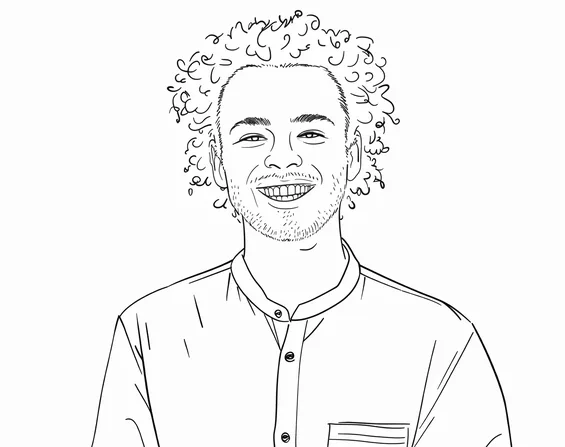
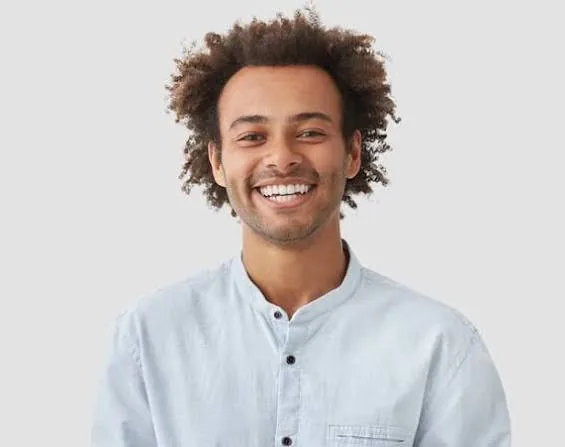
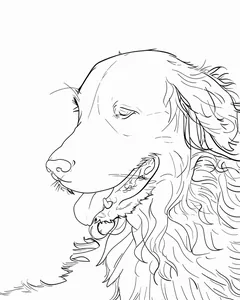
A good coloring page is mostly white space with confident outlines. The Line Art style turns your photo into exactly that: the edges of faces, fur, buildings and leaves become solid black lines, and shading is left out so there is room to color.
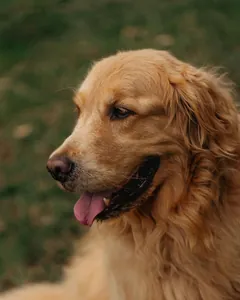
Photos with one clear subject and a plain background work best: a portrait, a pet on the sofa, a single flower. Busy scenes become busy pages, so crop in close before you upload.
Want shading or color instead of outlines? Turn the picture into a drawing in another style.
Which photos make good coloring pages
Usually works well
- One main subject that fills most of the frame
- Even light, without deep shadows across faces
- A plain or blurred background
- Pets, a single flower, a building or a close portrait
Usually gives a busy page
- Group photos where each face is small
- Night shots, backlit or very dark photos
- Crowds, dense leaves or a cluttered room behind the subject
- Small, low-resolution screenshots
Crop before you upload. The tool draws everything in the frame, so a tighter crop gives bigger shapes and fewer tiny areas to color.
How to print your coloring page
Download the PNG
PNG keeps the lines sharp. JPG works too if your printer software prefers it.
Choose Fit to page
In the print dialog pick Letter or A4 and Fit to page, so the drawing isn’t cropped at the edges.
Print in black only
Grayscale or black-ink printing gives darker lines and saves colour ink.
Use heavier paper for markers
Regular printer paper is fine for crayons and pencils; 28 lb or cardstock stops markers bleeding through.
Free drawings are 1024px on the long side, which prints cleanly at about half a Letter or A4 page; on a full page the lines look a little softer. Drawings made with credits are 2048px and print-ready up to Letter size.
Simple pages for kids, detailed pages for adults
- For young children
- Pick a photo with one large subject and crop close. Big shapes with few small details are easier for small hands. A face, a pet or a favourite toy works better than a whole room.
- For older kids and adults
- Keep more of the scene: a street, a garden, a full portrait with hair and clothing. Line Art keeps fine edges, so there is plenty to fill in.
- For a guide to shading
- Try the Ink style. It adds light hatching inside shapes, which you can follow when shading with colored pencils.
Coloring page ideas
- A portrait of your child for them to color themselves
- The family pet as a birthday party activity
- A favourite holiday photo turned into a travel journal page
- Class photos for a classroom coloring sheet
- Pages for a coloring book you publish, with a paid pack’s commercial license
When another tool fits better
The result is a PNG or JPG image, not a vector file. For an editable SVG for a cutting machine, laser engraver or embroidery software, use a vector tracing tool, or trace the transparent PNG (Line Art and Ink drawings made with credits) in design software that can trace images.
You can’t describe changes in words here, such as removing a person or replacing the background. You pick a style and the photo is redrawn as it is, so edit or crop the photo first, then upload it.
Coloring page questions
Which style should I use for coloring pages?
Line Art. It draws solid outlines and leaves the inside white. Ink also works if you want a little hatching for texture.
Can I sell coloring books made from my photos?
Yes, if the drawings are made with paid credits, which include a commercial license, and you own the rights to the photos.
Can I get the outlines on a transparent background?
Yes. Line Art and Ink drawings made with credits also download as a transparent PNG for layering in Canva, Procreate or Cricut Design Space.
Can I make a simple coloring page for a young child?
Yes. Use a photo with one large subject, crop it close and pick Line Art. Fewer small details in the photo means fewer tiny areas on the page.
Can I turn several photos into coloring pages at once?
With credits you can upload up to 20 photos at once. Free use is one photo at a time, up to 3 drawings a day.
Why does a face look slightly different in the outline?
The AI redraws the photo rather than tracing it, so small details such as the shape of the eyes or the expression can change. A sharp, well-lit photo where the face is large in the frame gives the closest likeness.
Is my photo processed in my browser?
Only partly. Your browser converts iPhone HEIC photos and resizes large ones; the drawing itself is made on our servers by an AI model provider. We delete the photo from our storage when processing finishes and schedule the drawing for deletion after 24 hours.